


One app. Endless opportunities.
A faster, easier way to find and pick up special education substitute opportunities—right from your phone.



Download the App
Born from the classroom. Built for special education.
-
Download the App
Get started by downloading the Spindle app and creating your profile.
-
Match to Opportunities
Set your preferences and let nearby schools come to you with relevant requests.
-
Accept & Get to Work
Review the details, confirm your availability, and add the shift to your schedule.
No Browsing Required — Spindle Comes to You
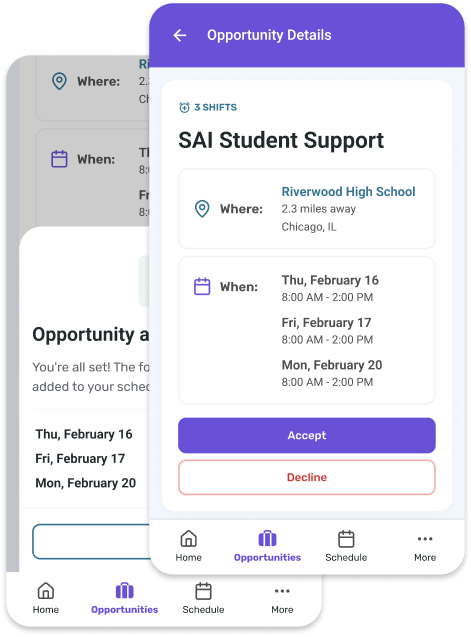
Rather than endlessly scrolling through job boards, Spindle delivers special education substitute opportunities directly to your phone. When a nearby school needs coverage, you’ll receive a notification so you can spend less time searching and more time doing what you do best.
Review the details, see if the assignment fits your schedule, and accept with just a few taps. Your confirmed shifts are automatically added to your schedule, making it easy to stay organized and know what’s coming up next.
- Tap opportunities then Review details then Accept
- Confirmed shifts appear in your schedule
- Check your upcoming shifts anytime



Everything in One Place
From upcoming shifts to your work history, everything you need lives in the app.
- Get paid weekly
- Manage upcoming shifts
- Access your shift history anytime


Built to Work for You
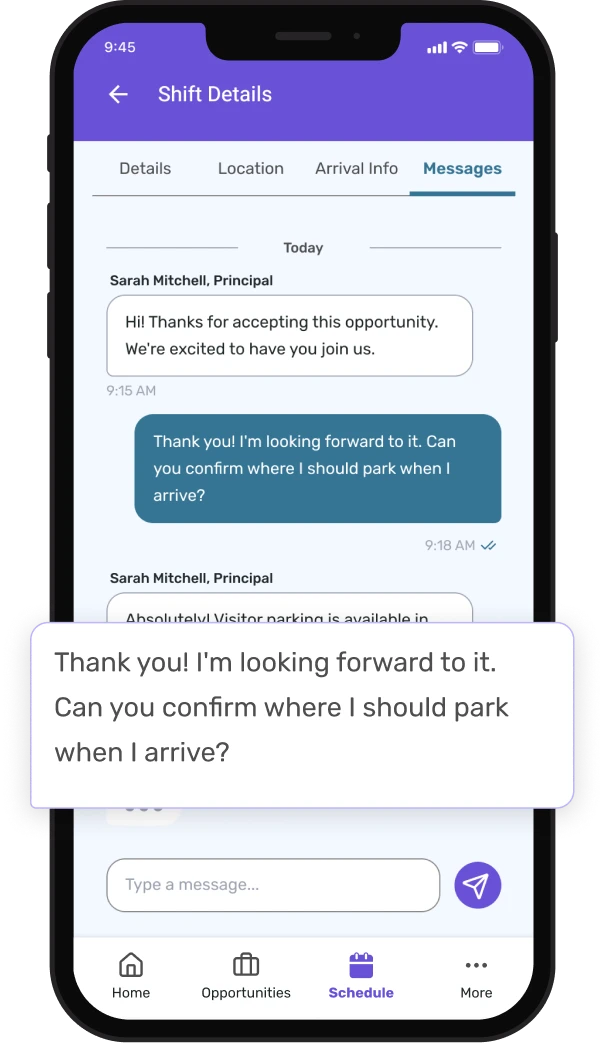
Spindle was created with educators in mind—especially those supporting special education. It’s designed to make finding, managing, and completing shifts as simple as possible.

Ready to connect with Spindle?
Download the app and start receiving opportunities in your area today. Take shifts that fit your schedule, skip the rest—you decide what fits.
